gt999 App —
Android APK Download
The gt999 app brings cricket betting, live casino, slots and crash games to your Android phone. Download the APK directly — no Play Store needed. Works on Android 8.0 and above. Deposit with bKash in under 6 minutes, withdraw in about 37 minutes. Free to install, free to use.
- Virus Scanned
- SSL Encrypted
- Android 8.0+
- 24/7 Support
- 18+ Only
Scan to download
How to Install the gt999 App on Android
Android phones block APK files from outside the Play Store by default. You need to allow "unknown sources" once. The whole process takes under two minutes.
-
1
Allow Installation from Unknown Sources
Open your phone's Settings, go to Security (or Privacy on some phones), then enable Install Unknown Apps. On Android 10 and above, you can grant this permission to your browser alone — you do not need to leave it on permanently. Toggle it off again after installation if you prefer.
-
2
Download the gt999 APK File
Tap the Download APK button on this page. Your browser will save
gt999.apk(28 MB) directly to your Downloads folder. Use a stable Wi-Fi or mobile data connection. If the download pauses, tap it again — the file is small and completes quickly. -
3
Open the APK and Confirm Installation
Open your Downloads app or file manager and tap
gt999.apk. Android will show an install screen listing the permissions the app requests. Review them, then tap Install. The process completes in about 10–15 seconds on most devices. -
4
Open the App and Log In or Register
Once installed, tap Open or find the gt999 icon on your home screen. If you already have an account, go to gt999 Login. New players should tap Register Now and complete the sign-up form — it takes about two minutes. After logging in you can deposit using bKash or Nagad immediately.
-
5
Make Your First Deposit and Claim the Welcome Bonus
Tap Deposit in the app, choose bKash, Nagad, Rocket or Bank Transfer, and enter at least ৳400. Funds arrive in about 6 minutes. First-time depositors get a 125% welcome bonus up to ৳7,500. The wagering requirement is 11×. Minimum withdrawal afterward is ৳600, processed in roughly 37 minutes.
- APK Size
- 28 MB
- Android
- 8.0+
- Price
- Free
- Deposit
- ~6 min
If your phone runs MIUI (Xiaomi/Redmi), look for Install via USB or MIUI Optimization settings. Turn off MIUI Optimization before installing any third-party APK.
iOS Users: Add gt999 to Your Home Screen
There is no native iOS app. iPhone and iPad players can use the mobile website and add it to their home screen for a near-app experience — full screen, quick launch, no browser chrome.
-
Open Safari on Your iPhone or iPad
Navigate to gt999.games in Safari. The site is fully responsive — it adapts to your screen size automatically. Chrome and Firefox on iOS do not support Add to Home Screen, so use Safari for this step.
-
Tap the Share Icon at the Bottom of Safari
Tap the Share button (box with an upward arrow) in the Safari toolbar. A menu slides up from the bottom of the screen with sharing options.
-
Select "Add to Home Screen"
Scroll through the share sheet until you see Add to Home Screen. Tap it. You can rename the shortcut if you like — the default name is "gt999".
-
Tap "Add" and Open from Home Screen
Tap Add in the top-right corner. The gt999 icon now appears on your home screen. Tapping it opens the site in full-screen mode, without the browser address bar. Log in with your existing account.
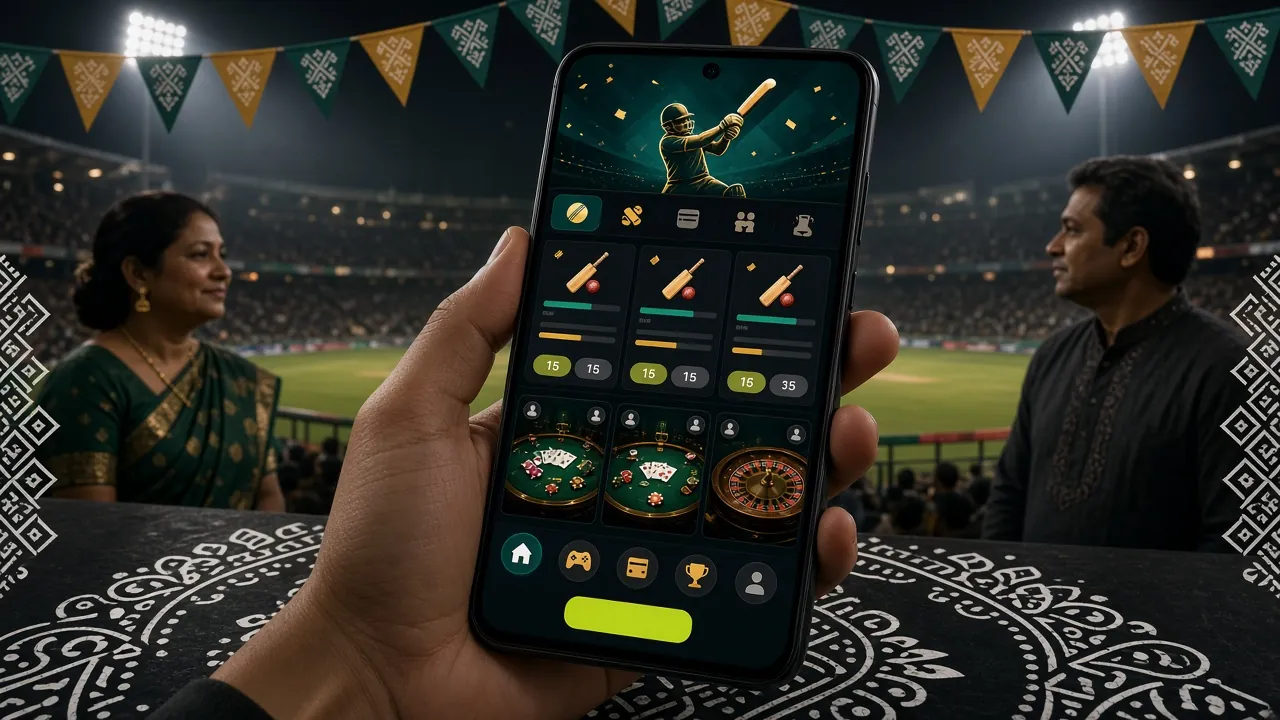
App vs Web Browser — What's the Difference?
Both options let you play every game and deposit money. The Android app has a few practical advantages for daily use. Here is a direct comparison so you can decide.
| Feature | gt999 Android App | Mobile Browser |
|---|---|---|
| Game library access | Full — all 2,800 games | Full — all 2,800 games |
| Push notifications (match alerts, bonus reminders) | Yes | No |
| One-tap launch from home screen | Yes | Requires browser open |
| Works on slow mobile data (2G/3G) | Optimised, lower data use | Heavier page loads |
| Biometric login (fingerprint / face ID) | Yes (Android 9+) | No |
| bKash / Nagad deposit | Yes — min ৳400 | Yes — min ৳400 |
| Live cricket score overlay | Yes | No |
| APK file size | 28 MB | No download needed |
| System requirement | Android 8.0+ | Any modern browser |
| Auto-update | Manual APK re-download | Always latest version |
If you bet on cricket every day and want match alerts, the Android app is the better choice. If you are on iOS or prefer not to install anything, the mobile website works just as well for deposits and playing games.
System Requirements and Version Information
The gt999 app is lightweight and designed to run on mid-range Android phones that are common in Bangladesh. If your phone was made after 2018, it almost certainly meets the requirements.
| Field | Detail |
|---|---|
| App Name | gt999 |
| Current Version | 2.3.1 |
| File Name | gt999.apk |
| File Size | 28 MB |
| Minimum Android | Android 8.0 (Oreo) |
| Last Updated | 9 November 2026 |
| Price | Free |
| Languages | English, Bangla |
| iOS App | Not available — use mobile browser |
| Play Store | Not listed — download APK from this page |
- Samsung Galaxy A series (Android 10–14)
- Xiaomi / Redmi (MIUI 12+)
- Walton (Android 9–12)
- Symphony (Android 10)
- Oppo / Realme (ColorOS 11+)
Is the gt999 APK Safe to Install?
Download only from gt999.games. Third-party sites may distribute modified APKs. Here is what this official APK does and does not do.
Scanned Before Every Release
Each APK build is scanned with multiple antivirus engines before it goes live on this page. The file hash is verified on download so you get exactly the file we published. If your antivirus flags it, it is a false positive from the gambling category — the file contains no malware.
SSL Encryption on All Connections
All data between the gt999 app and the server travels over TLS 1.3. This includes your login credentials, payment requests and game results. The app will refuse to connect over an unencrypted channel, so a compromised Wi-Fi network cannot intercept your session.
Minimal Permissions — Nothing Unnecessary
The app requests: Internet (required to connect), Vibration (bet confirmation feedback), Notifications (match and bonus alerts, optional). It does not request access to your contacts, camera, microphone, location or storage. You can review all permissions in Settings > Apps > gt999 at any time.
Account Protection: 2-Step and KYC
Your account is protected by password and optional biometric login. Before your first withdrawal, KYC verification is required — submit your National ID Card, Passport or Driving Licence. The review takes up to 12 hours. This requirement prevents unauthorised withdrawals even if someone else knows your password.
What Can You Play Inside the gt999 App?
Every game on the full website is available in the app. The lobby is organised by category so you can get to your preferred game in two taps. Here are the main categories and what to expect.
Cricket & Sports Betting
Bet on BPL, IPL, T20 and ODI matches with live in-play markets. The app shows real-time scores alongside your open bets. Minimum bet ৳5. Access pre-match odds and live 1X2 markets for football as well. Red Tiger and JILI sports titles like Triple and Monster Triple are available here.
Live Casino with Real Dealers
Stream Baccarat, Roulette, Blackjack and Andar Bahar tables with live dealers in HD. PG Soft provides Double Exposure Blackjack with RTP 95.4%. Minimum bet ৳5 on most tables. The video stream is optimised for mobile data — it uses less bandwidth than a YouTube video at equivalent quality.
Aviator & Crash Games
Crash games let you cash out before the multiplier crashes. The app handles the real-time animation smoothly even on 3G. Play Aviator and other crash titles with bets starting from ৳2. Set an auto-cashout target and the app executes it without you needing to stay on screen. See the Aviator guide for strategy tips.
Slots from Top Providers
Over 2,800 games include slots from JILI, FA Chai, PG Soft, KA Gaming, Habanero, Red Tiger and Playtech. Fortune Tiger (RTP 96.4%) and Wild Bounty Showdown (RTP 96.5%) are among the most played. Minimum bets start at ৳2. Filter by provider or RTP directly inside the app lobby.
Teen Patti & Card Games
Teen Patti Joker from FA Chai (RTP 97.1%) is one of the highest-RTP card games in the app. The app supports both the classic 3-card format and joker variants. Minimum bet ৳10. Full guide available at Teen Patti gt999 — includes rules, side bets and bankroll tips.
Fishing Games & Lottery
Fishing games like Lucky Gods Fishing (KA Gaming, RTP 96.3%) and Relax Fishing (JILI, RTP 96.0%) are optimised for touch controls — the aim-and-shoot mechanic works better on a phone than a desktop mouse. Lottery titles including Lucky Bingo (RTP 97.8%) and Go Goal Bingo (RTP 97.1%) run as quick rounds, ideal for short sessions.


Common Installation Problems and How to Fix Them
Most installation failures have a simple cause. Work through the table below before contacting support.
| Problem | Likely Cause | Fix |
|---|---|---|
| "Install blocked" or "Not allowed" | Unknown sources permission is off for your browser or file manager app | Go to Settings > Security > Install Unknown Apps, find your browser (e.g. Chrome or Firefox), and toggle Allow from this source on. Then try opening the APK again. You can disable it after installation. |
| APK download stalls at 0% or never completes | Weak mobile data signal or the download link timed out | Switch to Wi-Fi if available. Clear your browser's download queue, then tap the Download APK button again. The file is 28 MB and should finish in under 30 seconds on a decent connection. Do not use a VPN during the download. |
| "Parse error" or "App not installed" | The APK file is incomplete — the download was interrupted before it finished | Delete the existing gt999.apk from your Downloads folder, then re-download from this page. Do not open the APK until the download is 100% complete. Check the file size is 28 MB before installing. |
| App installed but crashes on launch | Incompatible Android version (below 8.0) or low device storage | Confirm your Android version in Settings > About Phone. If it is below 8.0, the app will not run — use the mobile browser instead. If the version is correct, free at least 100 MB of storage and restart your phone, then try launching again. |
| Cannot log in after installing — "Session expired" error | Device clock is out of sync with the server, causing the authentication token to fail | Open Settings > Date & Time and enable Set time automatically. This synchronises your phone with the network time server. Restart the app. If the problem continues, tap Forgot Password on the login screen to reset your credentials. Need help? See the Login guide. |
Download the gt999 APK Now
This is the official APK. Always download from this page — gt999.games. Version 2.3.1 is the current release, updated 9 November 2026.
After You Install
If you are new, go to gt999 Register and create an account in about 2 minutes. If you already have an account, tap Log In and use your existing credentials. See the Login guide if you have trouble signing in.
How to Update
The gt999 app does not update itself automatically. When a new version is released, a notification appears inside the app. Tap it, download the new APK from this page, and install it over the existing version — your account data and preferences are saved during the upgrade.
Download the gt999 App — Android APK
-
Deposits clear in 6 minutes Top up with bKash, Nagad or Rocket straight from the app — no browser switch needed.
-
Live cricket and casino in one place Place a T20 bet, then jump to Aviator or Teen Patti without closing anything.
-
Virus-scanned APK, no Play Store required Direct install from this page. Enable "Unknown Sources" once, install in under two minutes.
-
24/7 live chat built in Tap the support icon in the app to reach an agent any time — in BDT, about your account.
Point your camera here to download on Android
iOS not available on Play Store or App Store — Safari users can add gt999 to the Home Screen as a shortcut instead.
Frequently Asked Questions About the gt999 App
Is the gt999 APK safe to download and install?
Yes. The APK hosted on gt999.games is the official build, scanned with multiple antivirus engines before each release. It requests only three permissions — Internet, Vibration and Notifications — and does not access your contacts, camera, location or personal files. Download only from this page. If you download from a third-party site, we cannot guarantee the file has not been modified. Your antivirus may flag the file as a "PUP" (potentially unwanted program) because of the gambling category — this is a false positive and the file is clean.
Why does Android say "installation blocked" when I try to install?
Android blocks APK files from outside the Play Store by default. You need to grant your browser or file manager permission to install unknown apps. Go to Settings > Security > Install Unknown Apps, find the app you used to open the APK (usually Chrome or your phone's file manager), and toggle Allow from this source on. Tap the APK again to continue the installation. Once the gt999 app is installed, you can turn the permission off again — it only needs to be on during the install step.
My phone runs Android 7 — can I still use gt999?
The gt999 app requires Android 8.0 (Oreo) or higher. If your device runs Android 7 or earlier, the APK will not install. However, you can still access everything through your mobile browser — open gt999.games in Chrome or Firefox, log in, and play normally. The mobile website supports all games, deposits and withdrawals. For the best browser experience, use Chrome on Android 7. If possible, check whether your device manufacturer released an Android 8 update for your model.
I installed the app but it crashes right after the logo appears. What should I do?
A crash on launch usually means one of three things: insufficient storage, an interrupted APK download, or a conflicting older version. First, free at least 100 MB of storage and restart your phone. Then uninstall the existing gt999 app, delete the APK from your Downloads folder, and download a fresh copy from this page. Confirm the downloaded file is exactly 28 MB before installing. If it still crashes after a clean install, contact 24/7 Live Chat support — provide your device model and Android version so the team can investigate quickly.
How do I update the gt999 app to the latest version?
The app does not update automatically from the Play Store because it is distributed as an APK. When a new version is available, you will see an update notice inside the app after logging in. Tap the notice, return to this page, and download the latest APK (currently version 2.3.1, updated 9 November 2026). Install it directly over your existing installation — Android will keep your account session active and you will not need to log in again after the update. Your deposit history and VIP progress are stored server-side, so nothing is lost.
Can I deposit using bKash inside the app, and what is the minimum?
Yes. Tap Deposit in the app menu and choose bKash, Nagad, Rocket or Bank Transfer. The minimum deposit is ৳400. Funds arrive in about 6 minutes. First-time depositors receive a 125% welcome bonus up to ৳7,500 — the bonus is credited to your account automatically after the deposit is confirmed. The wagering requirement is 11×. For a step-by-step payment walkthrough, see the gt999 Deposit Guide.
Is there a gt999 app for iPhone or iPad?
There is no native iOS app at this time. iPhone and iPad users can access gt999 through Safari. For the best experience, add the site to your home screen: open gt999.games in Safari, tap the Share icon at the bottom, and select Add to Home Screen. The shortcut launches the site in full-screen mode, similar to a native app. All features — deposits, withdrawals, live casino, cricket betting — work in the Safari browser. Push notifications are not available on iOS through this method.
Need Help?
Our support team is available around the clock. If the troubleshooting steps above did not solve your problem, start a live chat and share your device model and Android version.
Start Live ChatThe gt999 app is for adults aged 18 and over only. Gambling involves financial risk. Set deposit limits and play within your means. If you feel gambling is affecting your life, seek help at Play Responsibly. · 18+ · Play Responsibly